
You can design your own T-Shirts in just a few clicks. Online platforms and mobile apps make the process fast and simple. Most custom shirts cost between $10 and $20, with no minimum order needed. Why do people love making their own shirts?
You get a one-of-a-kind look.
You control every detail, from colors to graphics.
Personal touches make great gifts for birthdays or special events.
Let your creativity shine and show off your style.
Key Takeaways
Designing your own T-Shirt is simple and fun. Use online tools to create unique styles with just a few clicks.
Choose the right fabric for comfort and durability. Cotton is soft, while polyester is great for sports and activewear.
Select colors that match your design and avoid fading. Bright colors can make your T-Shirt stand out.
Explore different printing methods. DTG is best for detailed designs, while screen printing is ideal for bulk orders.
Take care of your T-Shirt to keep it looking fresh. Wash inside out, use cold water, and air-dry to maintain print quality.
T-Shirts: Style & Material
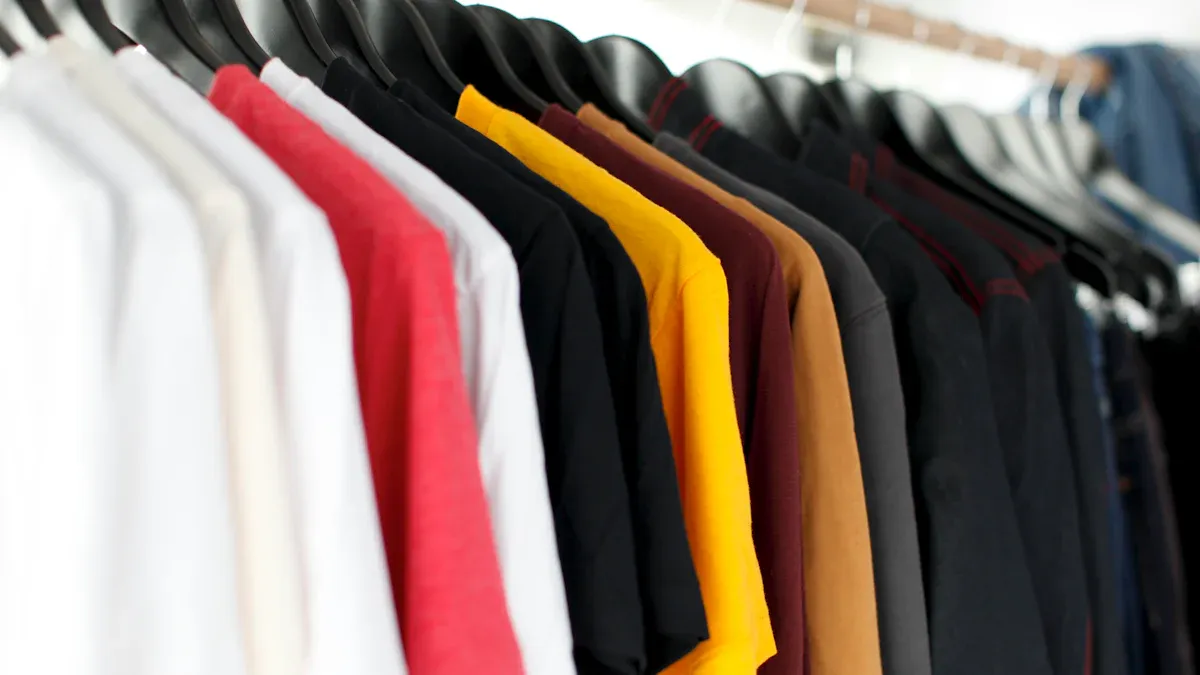
Fabric Types
When you design your own T-Shirts, fabric matters a lot. You want it to feel nice and last long. Here are some popular fabric choices:
Fabric Type | Key Characteristics |
|---|---|
Cotton | Soft, breathable, comfortable, great for everyday wear. |
Cotton-Polyester Blends | Combines comfort with durability, easy to care for. |
Polyester | Tough, wrinkle-resistant, perfect for sports and uniforms. |
Spandex and Nylon | Stretchy, moisture-wicking, ideal for activewear. |
Organic Cotton | Eco-friendly, sustainable, gentle on skin. |
Performance Fabrics | Breathable, flexible, keeps you cool during activities. |
Ring-Spun Cotton | Strong, affordable, versatile for all styles. |
Recycled Polyester | Sustainable, dries fast, great for sports. |
Tip: If you want to help the planet, pick organic cotton or recycled polyester. These choices cut down on waste and support better farming.
Fit & Size
Your T-Shirt should fit well. A good fit helps you feel comfy and look nice. Studies show that clothes that fit make you happier with your style. You can choose classic, slim, or relaxed fits. Always look at the size chart before buying. If you are not sure, measure your favorite shirt and compare.
Color Choice
Choosing the right color changes how your design feels. Some colors work best for certain styles or events. Here are some top picks:
Color | Description |
|---|---|
White Dust Heather | Goes with many designs, looks casual or fancy. |
Gray Athletic Heather | Classic, sporty, matches easily. |
Asphalt | Modern, sleek, hides stains well. |
Forest Green | Deep, natural, good for outdoor themes. |
Heather Deep Teal | Stylish, modern, blue-green look. |
Red | Bold, passionate, very popular. |
Pink | Bright, youthful, liked by young people. |
Yellow | Energetic, stands out easily. |
Orange | Vibrant, fresh, great for making a statement. |
Note: To keep your T-Shirt looking new, pick colors that do not fade and fabrics that stay strong after many washes.
Design Tools & Ideas
Brainstorming
You want your T-Shirts to be special. Start with a good idea. Brainstorming helps you think of new styles. There are many ways to get creative. Here are some popular methods:
Technique | Description |
|---|---|
Online Design Communities | Visit sites like Dribbble, Pinterest, and Behance. You can see what others make and get advice. |
Experimenting with Software | Try tools like Adobe Illustrator or Photoshop. Play with colors and shapes to find cool looks. |
Hiring a Professional | Work with a graphic designer. You get expert help and designs that fit your ideas. |
Leveraging AI Technology | Use AI design tools. These tools can give you ideas or make images for you. |
Tip: Try using more than one method. Sometimes, drawing or looking at designs online gives you a great idea.
Online Platforms
You do not need fancy software to make T-Shirts. Many websites let you design shirts easily. You can pick a template, add art, and see your design fast. Here are some top sites for beginners and experts:
Printful: You get lots of choices and printing options. It is easy to use and helps you make cool shirts.
Teespring (Spring): The site is simple. You can start making shirts even if you are new.
Society6: The website is smooth and easy to use. You can upload your art and see it on different shirts.
Spreadshirt: There are many tools for making shirts. Both new and pro artists use it for their designs.
If you want more control, use tools with lots of templates and features. Here is a quick look:
Tool Name | Available Templates | Customization Options |
|---|---|---|
Design Tool A | Many ready-made templates | Basic and advanced features |
Canva | Big library in many categories | Lots of editing options |
Placeit | Great for T-Shirts and mockups | Not as many options as Canva |
Note: If you are new, pick a simple website. If you want more details, choose one with better editing tools.
Graphics & Text
Graphics and text make your T-Shirts fun. You can pick styles that show your mood or message. Here are some popular trends:
Simple graphics
Shapes and patterns
Old-school prints
Uplifting quotes
Designs from pop culture
Shirts with bold messages
Funny animal pictures
Flower embroidery
You can use online tools like Canva or Placeit to add these styles. Canva is easy to use and has many choices. Placeit lets you make quick shirt images. If you want more control, try Photoshop or Illustrator. These tools let you change every part and use high-quality art. GIMP is free and has many features for saving money.
Callout: Try mixing words and pictures. A strong quote with a simple picture can make your shirt stand out.
Artwork Prep
File Formats
When you get ready to print your T-Shirt, you need to pick the right file format for your artwork. Some formats work better than others. You want your design to look sharp and colorful. Here’s a quick guide to the most popular file types:
File Format | Type | Characteristics |
|---|---|---|
TIFF | Raster | Excellent compression, keeps high quality |
PSD | Raster | Adobe’s native format, easy to edit |
GIF | Raster | Only 256 colors, not great for printing |
PNG | Raster | Millions of colors, no compression |
Vector | Keeps layout, works well for printing | |
EPS | Vector | Reliable, self-contained, trusted by printers |
AI | Vector | Adobe Illustrator’s format, professional quality |
You might wonder which one to choose. If you use Photoshop, save your design as a PSD or TIFF. These keep all your layers and details. If you work with Illustrator, AI or EPS files are best. Printers love vector files because they scale up without losing quality. PNG files also work well for simple designs with lots of colors. Try to avoid GIFs. They limit your colors and can make your shirt look dull.
Tip: Always check what your printing service asks for. Some shops prefer vector files, while others accept high-quality raster images.
Resolution Tips
You want your T-Shirt to look crisp, not blurry. The secret is in the resolution. For the best results, set your artwork at 300 DPI (dots per inch). This makes your image sharp and smooth. If you use lower resolution, your design might look pixelated or fuzzy.
A 300 DPI file gives you clear lines and bright colors. Printers use this standard because it matches what the human eye can see. Your design will pop and look professional.
Note: Before you upload your artwork, zoom in and check for any rough edges. If you see blurry spots, increase the resolution or redraw those parts. High-quality images always make your T-Shirt stand out!
T-Shirts: Printing Methods
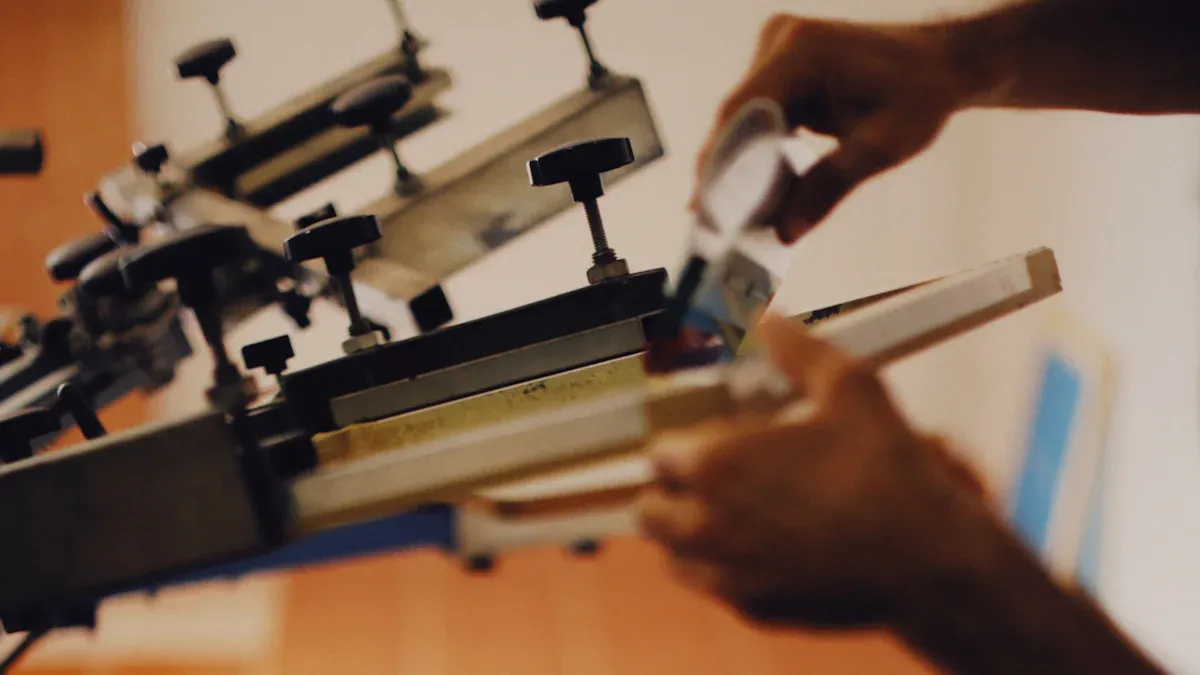
Designing custom T-Shirts gets exciting when you pick the right printing method. You have a few choices, and each one gives you a different look and feel. Let’s break down the most popular ways to print your design.
Screen Printing
Screen printing is a classic choice for custom T-Shirts. You see this method everywhere, from sports teams to school events. It uses thick layers of ink pressed through a screen onto the fabric. This process makes your design bold and long-lasting.
Here’s a quick look at the pros and cons:
Advantages | Description |
|---|---|
You save money when you print lots of shirts. Great for teams or big events. | |
Durability | Thick ink stays bright and strong, even after many washes. |
Versatility | Works on cotton, polyester, and even bags or uniforms. |
Specialty inks and techniques | You can add glitter, metallic, or glow-in-the-dark effects. |
Disadvantages | Description |
|---|---|
Not ideal for small orders | Setup takes time and costs more if you only want a few shirts. |
Price increases with color count | More colors mean more screens, which costs extra. |
Limited fine detail | Best for simple, bold designs. Tiny details might not show up well. |
Slower turnaround | You wait longer for your shirts because setup takes time. |
Environmental impact | The process can create waste and use chemicals, but some shops offer eco-friendly options. |
Screen printing still leads the market, making up 56% of custom T-Shirt production in 2024. If you want a durable shirt for a group, this method works well.
DTG Printing
DTG (Direct-to-Garment) printing is a newer way to make custom T-Shirts. You upload your own artwork or photos, and a special printer sprays the ink right onto the fabric. You get to see your design in full color, with lots of detail.
Why choose DTG?
You can print complex images, like photos or detailed graphics.
You don’t need to order a lot of shirts. One or two is fine.
Most online platforms let you upload your own images and personalize every shirt.
DTG prints look vibrant and sharp. You get free design resources on many websites, so you can play with fonts, clip art, and backgrounds. However, DTG prints may fade or soften after many washes. Screen printing lasts longer because the ink is thicker and cured with heat.
Here’s a quick comparison:
Printing Method | Print Quality | Durability |
|---|---|---|
DTG | High-quality, detailed designs | Less resistant to fading and wear |
Screen Printing | Limited design complexity, durable | Outlasts DTG, robust prints |
Heat Transfer | Handles full-color designs | Struggles with fine details |
Sublimation | Vibrant, long-lasting prints | Restricted to polyester |
You see DTG printing on many online platforms. It’s perfect if you want to make a single shirt with your own photo or artwork.
Tip: If you want a shirt with lots of colors or a photo, try DTG printing. You can upload your design and see a preview before you order.
DIY Printing
You can print T-Shirts at home if you like hands-on projects. DIY printing lets you experiment and learn new skills. Here are some popular methods and what you need:
Screen Printing: You need screens, a squeegee, and ink. This method works for bold designs and is fun for group projects.
Direct-to-Garment (DTG): You need a DTG printer, special ink, and pretreatment solution. This setup costs more but gives you detailed prints.
Heat Transfer Vinyl (HTV): You need a heat press or iron and vinyl sheets. You cut out shapes or letters and press them onto your shirt.
Dye Sublimation: You need a sublimation printer and transfer paper. This method works best on polyester shirts.
Iron-on Transfers: You need an inkjet or laser printer, transfer paper, and an iron. Print your design, press it onto the shirt, and peel off the paper.
DIY printing is great for small batches or personal gifts. You control every step, from picking the shirt to pressing the design. You can find free templates and design resources online to help you get started.
Note: Always read the instructions for your chosen method. Some techniques work better on certain fabrics. Try a test print before you make your final T-Shirt.
Ordering T-Shirts
Online Services
Ordering custom T-Shirts online is super easy. You can start with just one shirt, or order a bunch for your group. Prices range from $1 to $34, so you can find something for every budget. Most websites have no minimum order, so you don’t need to buy more than you want. You get expert design help and can use mobile apps to create your shirt anywhere.
Here’s what top online services offer:
Feature | Description |
|---|---|
You can design shirts even if you’re new to it. | |
Customizable options | Pick colors, add text, and upload your own images. |
E-commerce integration | Sell your designs on sites like Shopify or WooCommerce. |
Automated order processing | You don’t need to worry about shipping or handling. |
Marketing tools | Share your shirts on social media or through email campaigns. |
You also get high-quality printing, a huge catalog of products, and real-time updates on your order. Many platforms offer print-on-demand, so you don’t need to keep shirts in stock.
Tip: Try using the mobile app for quick edits and previews. You can see your design on a shirt before you buy.
Local Shops
Local shops give you a personal touch. You can talk to the staff, see samples, and get instant feedback on your design. If you want to check the fabric or colors in person, this is the way to go. Local shops often help with small orders and rush jobs.
Factor | Local Shop | Online Shop |
|---|---|---|
In-person & phone support | Email/chat only | |
Garment samples | Available to see and feel | Not available |
Quality control | Reviewed in-house before printing | Automated systems only |
Flexibility | Custom jobs, small orders, rush | Limited options |
Community impact | Supports local economy | Profits leave community |
You can work directly with the design team and make quick changes. This reduces mistakes and speeds up the process. Local shops help you support your community, too.
At-Home Options
You can make T-Shirts at home if you like DIY projects. You need a computer, design software like Canva, a printer, and heat transfer paper. Use a heat press or iron to put your design on the shirt. If you want to try vinyl, a vinyl cutter helps shape your artwork.
Here are some popular methods:
Heat Transfer Printing: Use heat to stick your design to the shirt.
Sublimation Printing: Works best for polyester shirts and gives bright, lasting colors.
Direct-to-Garment (DTG): Print detailed images right onto the fabric.
Note: At-home printing is great for small batches or gifts. You control every step and can experiment with different styles.
Success Tips
Mistakes to Avoid
You want your custom T-Shirt to look awesome and last a long time. Many people make simple mistakes when designing shirts. Here are some things you should watch out for:
Choosing the wrong printing method. Learn about each method so you pick the best one for your project.
Using low-resolution artwork. Always use high-quality files so your design prints sharp and clear.
Overcomplicating designs. Simple designs look better and are easier to wear.
Neglecting fabric quality. Pick good materials to make your shirt feel nice and keep the print looking fresh.
Forgetting about printing costs. Plan your budget early so you don’t get surprised.
Failing to consider your audience. Think about who will wear the shirt and what they like.
Neglecting pre-press preparation. Make sure your shirts are clean and smooth before printing.
Using the wrong printing technique. Match your design and fabric to the right method for the best results.
Tip: Keep your design simple and check your artwork before you order. You’ll save time and money.
Inspiration
Looking for ideas? You can find inspiration everywhere. Some styles always get attention and make people smile. Here’s a quick table with popular themes:
Theme/Style | Description |
|---|---|
Personalization | Add names, photos, or dates for family events and special interests. |
Humor | Use jokes or funny quotes that match current trends. |
Nostalgia | Try vintage or retro looks, like 90’s text or bootleg rap tees. |
Social Causes | Show support for issues you care about. |
Group Themes | Make matching shirts for vacations or reunions with bold, simple text. |
Inspirational Quotes | Share uplifting messages for positivity or gifts. |
Pet-themed | Celebrate pets with custom portraits or silly sayings. |
Travel-themed | Show your love for adventure and city pride with cool graphics. |
You can mix these ideas or add your own twist. Matching family shirts, pet portraits, and travel graphics are always popular. Try something new and see what makes you smile!
Care Instructions
You want your T-Shirt to stay bright and comfy. Good care keeps your print looking fresh. Here are some easy tips:
Turn your shirt inside out before washing. This protects the print.
Use cold water. Hot water can fade colors and damage fibers.
Pick a mild detergent. Skip bleach and strong chemicals.
Air-dry in the shade. Avoid dryers and direct sunlight.
Store shirts folded in a cool, dry place.
"Washing apparel inside out on gentle cycles and air drying is key to maintaining print integrity." – Extreme Screen Prints
Take care of your shirt and it will look great for a long time!
Designing your own T-shirt feels easy and fun. You can use online tools with beginner-friendly interfaces, thousands of templates, and fonts. No need for fancy computers or expensive software. These platforms work with all major printing methods, so your design always looks great.
You get to show your style and creativity.
Many people love custom shirts because they express identity and beliefs.
The custom T-shirt trend keeps growing every year.
Why wait? Start your own T-shirt design today and wear what makes you unique!
FAQ
How do you choose the best fabric for your T-shirt?
You want comfort and durability. Cotton feels soft and works for everyday wear. Polyester dries fast and resists wrinkles. Blends give you both benefits.
Tip: Try organic cotton if you care about the environment.
Can you use your own photos or artwork for the design?
Yes! Most online platforms let you upload your own images. You can add photos, drawings, or logos.
Make sure your file is high-resolution for the best print quality.
What printing method should you pick for a single shirt?
DTG printing works best for one shirt. You get bright colors and detailed designs.
Method | Best For |
|---|---|
DTG | Single shirts |
Screen | Bulk orders |
How long does it take to get your custom T-shirt?
You usually get your shirt in 3 to 7 days. Some shops offer rush delivery if you need it fast.
Note: Shipping times may change during busy seasons.